

With GitHub
If you turned on …and what happened after each deploy in step 5, the workflow runs your deploy — on a SHIP and only a SHIP — and reports the result back automatically. Nothing to add to the file. A HOLD does not deploy: it means ChangeGuard AI could not establish that the change is safe, and there is nothing to report the outcome of. Two real cases from a live environment: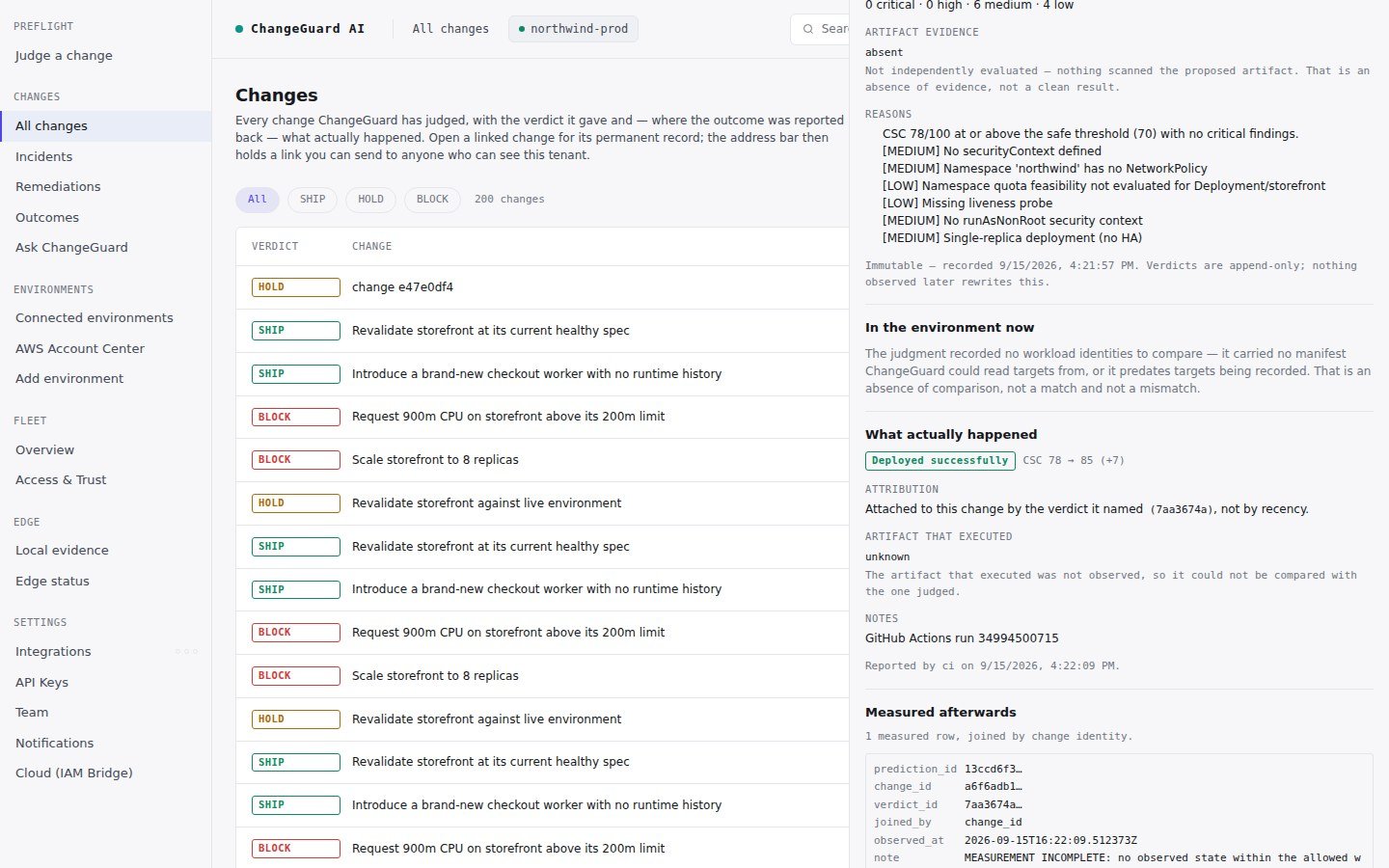
A pull request judged SHIP, deployed, and reported back: Deployed successfully. Attached to this change by the verdict it named, not by recency.
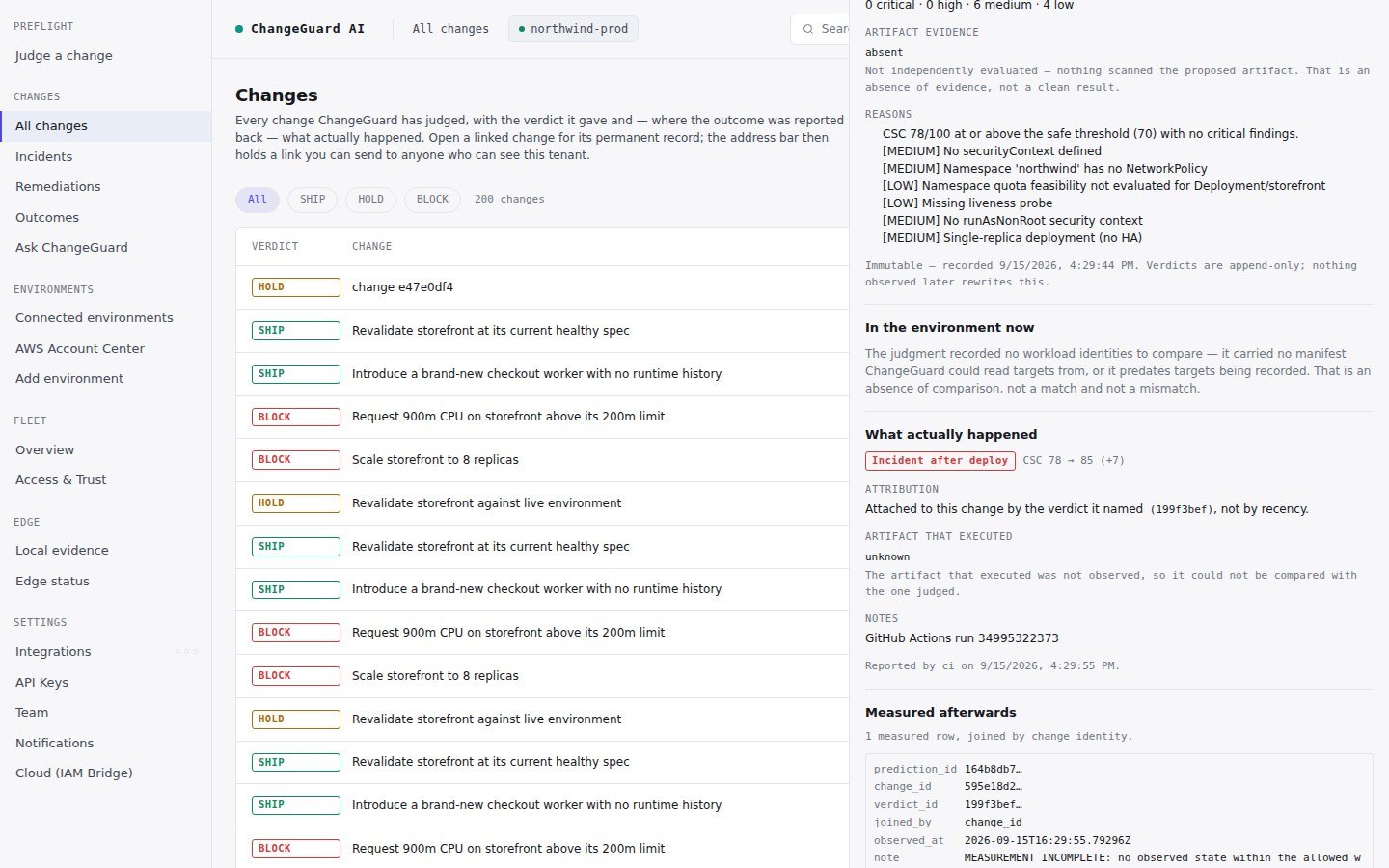
A change judged SHIP whose deploy failed: Incident after deploy, recorded against exactly this change.
From any other pipeline
After the deploy, report the outcome with theverdict_id the judgment returned:
outcome is one of success, incident, rollback or degraded.
How outcomes are attached
- By identity. An outcome is joined to a change by the verdict it names. ChangeGuard AI never attributes an outcome to “whatever was judged most recently” — if a report names no verdict, the record says so and does not claim it.
- Not reported is not safe. A change nothing reported on reads Not reported — an absence of evidence, not evidence the change was safe.
- The artifact that executed. Where the environment reports the image digest that actually ran, the record notes whether it matches the artifact that was judged.