

1
Open a pull request that changes a manifest
Any real change works: a new image tag, a replica count, a resource request. Push the branch and open the pull request.
2
Watch the check
The ChangeGuard check runs within a minute or two. Its run summary carries the verdict and the reasons; the check passes on SHIP and HOLD and fails on BLOCK (unless you set
enforce_block: false).3
Open the record in ChangeGuard AI
Changes → All changes shows the new row at the top, with source
ci and the repository and commit under Origin. Open it for the full judgment: verdict, every reason, and the evidence it had.What a real BLOCK looks like
From a live environment: a pull request that scales a workload to eight replicas. The manifest is valid. Against what is actually running, it would exceed the namespace’s memory quota — and the record says exactly by how much.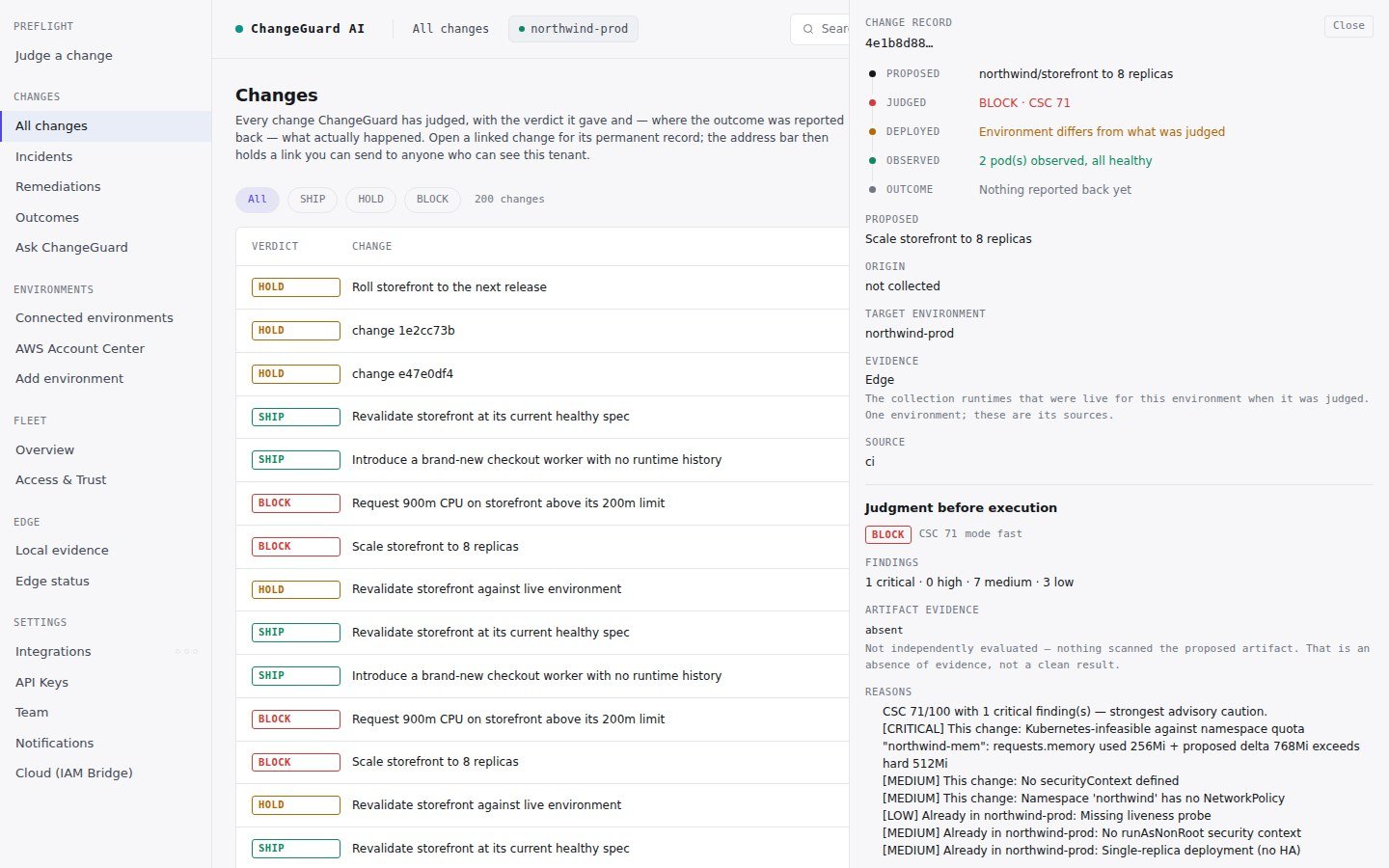
Scale storefront to 8 replicas → BLOCK: requests.memory used 256Mi + proposed delta 768Mi exceeds hard 512Mi.
What a real SHIP looks like
A change that fits: the same workload at a spec the environment can run. The judgment says at or above the safe threshold with no critical findings, lists the non-blocking findings it noticed, and moves on. When the workflow also deploys (step 7), this is the change that ships.HOLD from a pull request usually means the environment has not reported recently. The record says so: it names the environment and that the judgment was made on the change alone. Check that the environment is still sending data; nothing needs reconnecting.