

1
Describe the change
Under Change, answer What is this change? in plain words — for example
Roll storefront to the next release.2
Name the artifact
Under Artifact, enter the Proposed image (for example
registry.example.com/storefront:2.4.0). The Image digest is optional; when your build gives you one, adding it lets ChangeGuard AI evaluate the exact bytes.3
Choose where it lands (optional)
Under Target, leave No environment — judge the change on its own for now. Once you connect an environment (step 4) it appears here and is preselected, and the judgment is made against that environment’s live state.
4
Evaluate
Press Evaluate change. The verdict appears on the right within a second or two.
Reading the judgment
The Judgment card shows the verdict — SHIP, HOLD or BLOCK — a one-line meaning, and a Why list with each reason in plain terms. The line Advisory only — ChangeGuard does not prevent execution is part of the contract: you decide what to do with the verdict. The Evidence card lists every class of evidence the judgment could have used and whether it was AVAILABLE, NOT AVAILABLE or NOT AUTHORIZED — for example the proposed artifact, the environment’s live state, runtime activity, node benchmarks. Its header says the rule out loud: absent evidence is never counted as safe.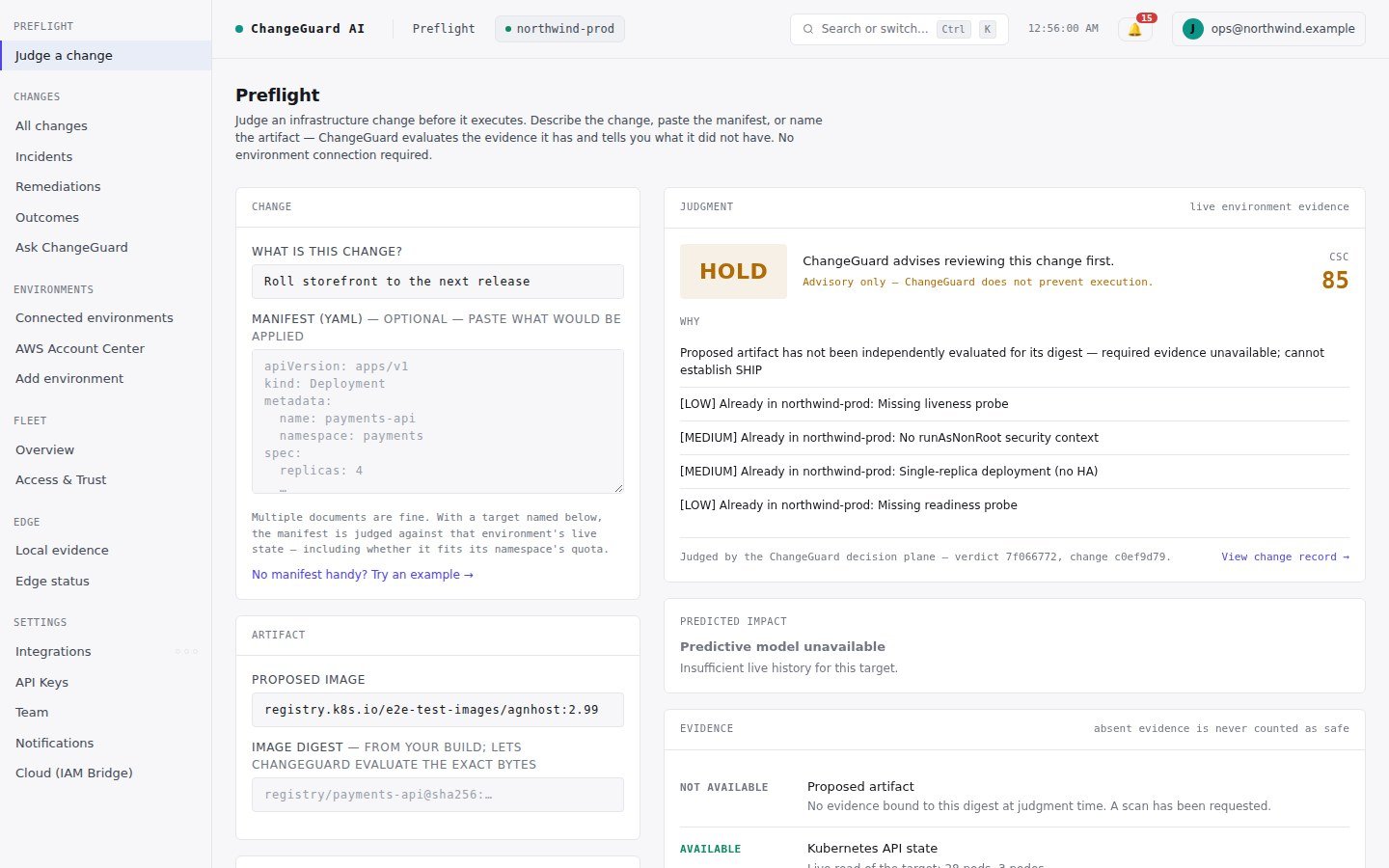
Your first verdict will usually be HOLD. That is correct: the artifact has not been independently evaluated yet, and no environment was named.
Expect HOLD the first time. With nothing connected, ChangeGuard AI has no live environment and has not evaluated the artifact, so it says so and advises a review rather than pretending. That honesty is the product. SHIP and BLOCK come once there is evidence to earn them — the next steps get you there.