

Status: Live. AWS Account Center is the AWS-side companion to Connected Environments: Connected Environments answers which environments ChangeGuard manages; AWS Account Center answers which AWS accounts it is connected to and whether those connections are healthy.
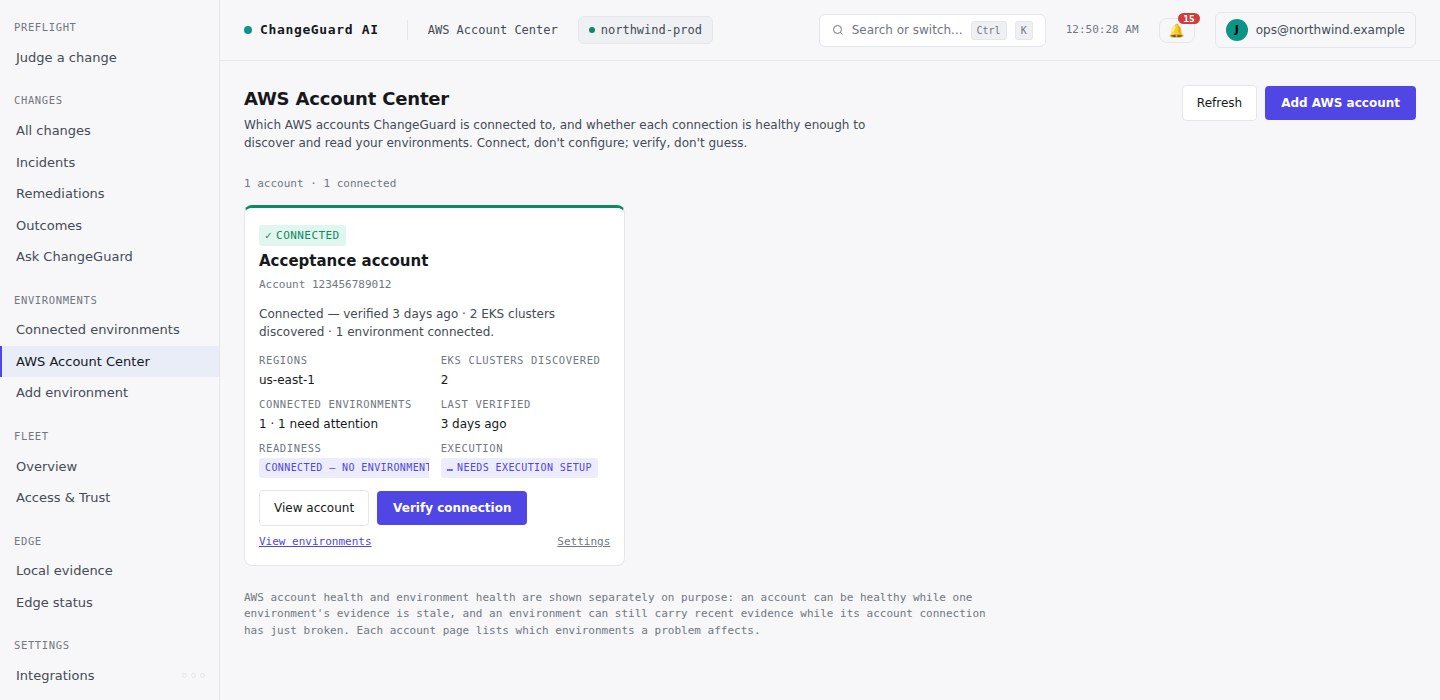
One connected account: verified, the regions it covers, the EKS clusters discovered, the environments connected, and the actions available.
Connect an account
Choose Add AWS account: name the account, create one IAM role in your account from the trust material ChangeGuard shows you (CloudFormation, Terraform or CLI — or paste the ARN of a role you already created), verify the connection, then discover EKS clusters. Two properties make the role safe:- its only permissions are
eks:ListClustersandeks:DescribeCluster— discovery, nothing else; - its trust policy admits only ChangeGuard’s principal with a unique external ID ChangeGuard issues. ChangeGuard never accepts an external ID from a caller, so nobody else can have your role assumed.
Verify
Verify connection runs real, read-only checks in order — the stored connection, the external ID and trust principals, STS AssumeRole, the assumed identity’s account,eks:ListClusters in every authorized region, discovery, eks:DescribeCluster on every cluster you authorized, the health of the environments this account backs, and whether fresh Fleet evidence is arriving. Nothing on your side is mutated and authority is never widened. The result is recorded on the connection and audited.
Every non-healthy state carries four sentences: what happened, what it affects, what to do next, and the action. The raw AWS detail stays behind View technical details.
Account health ≠ environment health. An account’s status comes from its own verification, never from environment status. The account page lists which environments are affected by an account problem (they depend on Fleet through this role and have no fresh Edge evidence) and which are unaffected (Edge evidence continues).
Discover, select, authorize
Discover lists the EKS clusters the role can see in your authorized regions; Detect regions probes every commercial region with your role and reports where it works, where the region is not enabled, and where clusters were found — you decide which regions to keep. Select the clusters ChangeGuard may observe and Authorize selected: ChangeGuard generates the exact per-cluster read-only grant (an EKS access entry plus aget/list role binding, no watch, no writes, no wildcards, no Secret access requested) for you to apply with your own credentials. Re-authorizing a cluster you previously retired re-activates its original environment rather than minting a second one.